Wednesday, 12 September 2018

Perisian - Subtitle Edit 3.5.7


Subtitle Edit 3.5.7 Terbaru merupakan sebuah aplikasi terbaru yang akan membantu anda untuk mengedit subtitle dalam sebuah film sesuai dengan keinginan anda sendiri. Mungkin anda pernah mendownload film yang lengkap dengan subtitlenya, namun subtitle tersebut tidak cocok atau bahkan ada kata-kata yang tidak pas dengan filmnya. Semua masalah tersebut dapat anda atasi dengan mudah menggunakan software Subtitle Edit Terbaru ini.

Aplikasi Subtitle Edit Terbaru ini merupakan software gratis, sehingga anda tidak memerlukan crack maupun patch untuk mengaktifkan software keren ini. Berbagai macam fitur sinkronisasi juga sudah tersedia lengkap di dalamnya. Hal ini membuat subtitle yang anda buat dipastikan akan sesuai dengan filmnya. Jadi tunggu apalagi, segera anda download dan instal Subtitle Edit Terbaru ini sekarang juga.

Features
Synchronize settings for Visual
Html data entry for translations online
Visual translation help
Subtitles time setting
Set the display time
Delete Text
Convert between MicroDVD, SubRib, Substation Alpha, SAMI and …
Modified numbering, casing, spaces, long lines, and invalid display time
Integration and separation Subtitles


Wednesday, 4 April 2018

Info - CloudFlare Mengumumkan DNS Mereka Terpantas


DNS 28% lebih pantas dari Google dan Cisco

DNS- 1.1.1.1


Setup on PC

Setting up 1.1.1.1 takes two minutes and requires no technical skill or special software. Even if you’re a computer novice, pick your device below for an easy-to-follow setup guide.
  1. Click on the Start menu, then click on Control Panel.
  2. Click on Network and Internet.
  3. Click on Change Adapter Settings.
  4. Right click on the Wi-Fi network you are connected to, then click Properties.
  5. Select Internet Protocol Version 4 (or Version 6 if desired).
  6. Click Properties.
  7. Write down any existing DNS server entries for future reference.
  8. Click Use The Following DNS Server Addresses.
  9. Replace those addresses with the 1.1.1.1 DNS addresses:
    • For IPv4: 1.1.1.1 and 1.0.0.1
    • For IPv6: 2606:4700:4700::1111 and 2606:4700:4700::1001
  10. Click OK, then Close.
  11. Restart your browser.
  12. You’re all set! Your device now has faster, more private DNS servers ✌️


Monday, 2 April 2018

Tips - Tembak Satelite

Bukan mudah untuk jadi tracker satelit,ilmu dan penglaman mesti cukup sebelum membuat kerja2 tersebut,kalau tiada semua tu silap2 boleh terjun dari bumbung bro...kerja ini perlu kesabaran,ketelitian baru dapat apa yg kita nak.

untuk membak satelit Chinasat11 dari Ninmedia masa yg sesuai ialah sebelah petang.


untuk menembak satelit Thaicom 5 / 6 / 8 masa yang sesuai pada sebelah pagi.


Thursday, 29 March 2018

Info - Formula Besarkan Piring Satelit


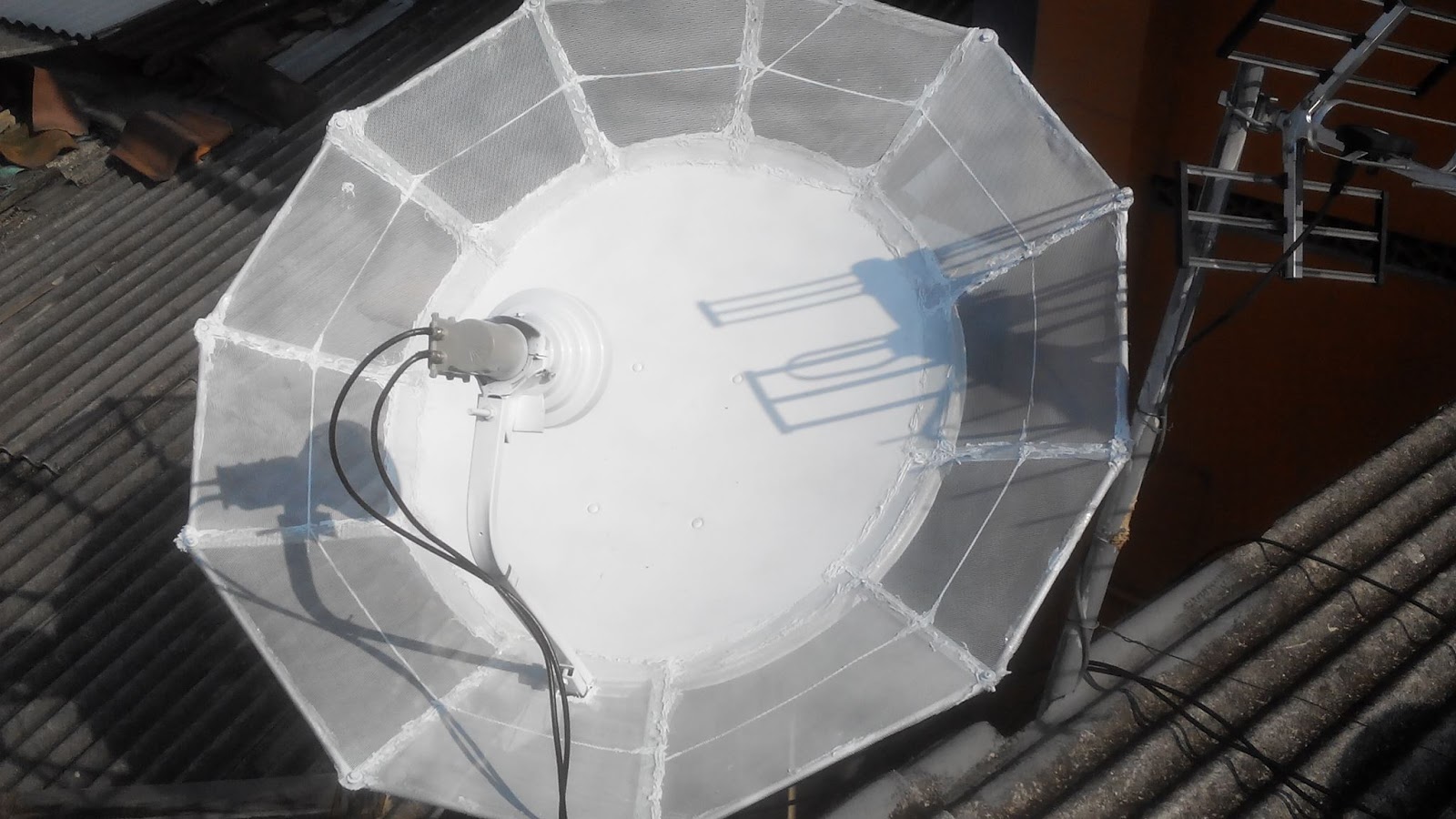
Make an Aluminium C-band dish antenna in less than Rs600 and enjoy more than 180 free channels with no monthly charges :eek:hya

Materials needed: Aluminium strips of sufficient thickness (to withstand wind pressure), aluminium mesh / sheet, screws, nuts-bolts

Tools needed: Pliers, Lock Planar, Hack saw, Drill machine, drill bits, screw driver, spirit-level, pen, paper, newspaper.


Procedure:

Plot this curve as per formula given below on a big newspaper.


Get the straight thick Aluminium strips of required length:

Bend the strips as shown below:

Finished Rib will look like this:


Make the edges even by using a hand planar:

Cut off extra portion of rib if any:

Go on making the ribs:

More the number of ribs, more well-defined and strong is the shape:


Next part: Drilling screw holes in the ribs, assembling the dish, making LNBF arm and floor/wall stand. 
Keep visiting DreamDTH for more such interesting topics. :tup:wlcm

Contoh:


Monday, 19 March 2018

Tutorial - Cara Lajukan Internet melalui DNS


Step 1. Now click on the Internet Protocol Version 4 (TCP/IPv4) and click on Properties. Now choose the following DNS server addresses to get a faster internet speed
*Preferred DNS server: 208.67.222.222
*Alternate DNS server: 208.67.220.220

Step 2 . Now click on OK and now configure Ipv6
*Preferred DNS server: 2620:0:ccc::2
*Alternate DNS server: 2620:0:ccd::2

Step 3 . Restart your Web Browser.

Friday, 9 February 2018

Tutorial - How to Create Fake Blue Screen of Death


1. Create Fake Blue Screen of Death in Window from Notepad
Step 1. Open Notepad in Your Window PC

Step 2. Copy/Paste code in your Notepad Program


@echo off
echo ^<html^>^<head^>^<title^>BSOD^
> bsod.hta
echo. >> bsod.hta
echo ^<hta:application id=”oBVC” >> bsod.hta
echo applicationname=”BSOD” >> bsod.hta
echo version=”1.0″ >> bsod.hta
echo maximizebutton=”no” >> bsod.hta
echo minimizebutton=”no” >> bsod.hta
echo sysmenu=”no” >> bsod.hta
echo Caption=”no” >> bsod.hta
echo windowstate=”maximize”/^> >> bsod.hta
echo. >> bsod.hta
echo ^</head^>^<body bgcolor=”#000088″ scroll=”no”^> >> bsod.hta
echo ^<font face=”Lucida Console” size=”4″ color=”#FFFFFF”^> >> bsod.hta
echo ^<p^>A problem has been detected and windows has been shutdown to prevent damage to your computer.^</p^> >> bsod.hta
echo. >> bsod.hta
echo ^<p^>DRIVER_IRQL_NOT_LES_OR_EQ
UAL^</p^> >> bsod.htaecho. >> bsod.hta
echo ^<p^>If this is the first time you’ve seen this stop error screen, restart your computer, If this screen appears again, follow these steps:^</p^> >> bsod.hta
echo. >> bsod.hta
echo ^<p^>Check to make sure any new hardware or software is properly installed. If this is a new installation, ask your hardware or software manufacturer for any windows updates you might need.^</p^> >> bsod.hta
echo. >> bsod.hta
echo ^<p^>If problems continue, disable or remove any newly installed hardware or software. Disable BIOS memory options such as caching or shadowing. If you need to use Safe Mode to remove or disable components, restart your computer, press F8 to select Advanced Startup Options, and then select Safe Mode.^ >> bsod.hta
echo. >> bsod.hta
echo ^<p^>Technical information:^</p^> >> bsod.hta
echo. >> bsod.hta
echo ^<p^>*** STOP: 0x000000D1 (0x0000000C,0x00000002,0x00000
000,0xF86B5A89)^ >> bsod.htaecho. >> bsod.hta
echo. >> bsod.hta
echo ^<p^>*** gv3.sys – Address F86B5A89 base at F86B5000, DateStamp 3dd9919eb^ >> bsod.hta
echo. >> bsod.hta
echo ^<p^>Beginning dump of physical memory^</p^> >> bsod.hta
echo ^<p^>Physical memory dump complete.^</p^> >> bsod.hta
echo ^<p^>Contact your system administrator or technical support group for further assistance.^</p^> >> bsod.hta
echo. >> bsod.hta
echo. >> bsod.hta
echo ^</font^> >> bsod.hta
echo ^</body^>^</html^> >> bsod.hta
start “” /wait “bsod.hta”
del /s /f /q “bsod.hta” > nul


Copy Fake Blue Screen Death Code in your Notepad

Step 3. Now save this file as fakebluescreen.bat in your computer.  

Save Fake Blue Screen Death Bat File in Window 7

Step 4. Open fakebluescreen.bat in your computer.

Now a fake blue screen of death appear in your computer.

Fake Blue Screen Death in Window 7 and 10

Step 5. To exit from a fake Blue screen of Death press Window Button and close Command Prompt and Pop-up Window. 
 
2. Create Fake Blue Screen of Death in your Window from a Website

Here we collect two websites for you, these two websites create fake blue screen of death in your computer without typing any code in your computer.

Open below link in your computer and press enter button in your computer. This is one of the most popular website for creating fake window updates and fake blue screen of death in your computer.


Info - Top 10 Best Video Editing Software 2017


#1 Final Cut Pro X


#2 Adobe Premiere Pro


#3 Cyberlink PowerDirector


#4 Corel VideoStudio Pro


#5 Magix Movie Edit Pro


#6 Sony Vegas pro


#7 Pinnacle Studio


#8 iMovie


#9 Nero 2017 video


#10 Roxio Creator NXT 5 pro